Welcome to ChampsBase.com, we're glad you're here! We've detected that you might be visiting from a country that we currently don't have reviews for. While we're working to expand our coverage, you can find here a list of all supported countries.
How to Download and Install the YesPlay App – Android, iOS, Huawei & Samsung (2026)
Missing a bet because a page refused to load is one of the most frustrating things about mobile betting. The YesPlay app is designed to fix that. It loads fast, stays stable during live matches, and gives you direct access to your markets, bet slip, and account from your phone. This guide covers everything you need to download and install it on any supported device, in plain and simple terms.
Forget flashy sportsbooks and bloated casinos, YesPlay is doing something different. Built for speed, simplicity, and mobile-first bettors in South Africa, it delivers instant-action games like Lucky 5, Aviator, and BetGames without the fuss. But beneath the sleek surface, does YesPlay really pay out fast? And can you trust it with your money or your time? This review dives deep into the full experience, from FICA signup to withdrawal, to help you decide if YesPlay is legit or just playing the odds.
YesPlay offers a variety of promotions, including a 100% welcome bonus and a 10% cashback, enhancing the betting experience for both new and existing customers.
This page contains affiliate links. ChampsBase may earn a commission if you register or place a bet through these links, at no extra cost to you. Our reviews remain independent and are based on research and real user experience. Learn more on our Affiliate Disclosure page.
Key Takeaways (30 Seconds)
✅ The YesPlay app is available for Android, iOS, Huawei, and Samsung devices across South Africa.
✅ Android users download the APK directly from the official YesPlay website.
✅ iOS users install it straight from the Apple App Store with no extra steps.
✅ The app covers live betting, Bet Builder, push notifications, and quick deposits.
✅ All standard YesPlay promotions are accessible through the app.
✅ The YesPlay mobile app is faster and more stable than the mobile browser, particularly during live matches.
💡 Note: Only download the YesPlay app from the official YesPlay website or a recognised app store. Third-party sources cannot be verified and may carry security risks.
Quick Specs at a Glance
Before you start, here is what to expect on each platform. The YesPlay app for Android requires an APK download from the official website, while the YesPlay app for iOS is available directly from the App Store with no additional steps needed.
Specification
Android
iOS
Download Source
Official YesPlay Website (APK)
Apple App Store
App Size
64 MB
50.2 MB
Minimum OS
Android 5.0+
iOS 13.0+
Installation Time
Under 2 minutes
Under 1 minute
Unknown Sources
Required (one-off setting)
Not required
Auto-Updates
No (manual)
Yes
App Store Rating
N/A
3.1/5 (800+ reviews)
💡 Pro Tip
If you are on Android, confirm you have at least 100 MB of free storage before starting the YesPlay app download APK process. This prevents the installation from failing midway.
Before You Download Quick Checklist
A smooth installation starts with a little preparation. Before you download the YesPlay app in South Africa, run through this checklist quickly. It saves you from the most common installation problems.
Your phone has at least 100 MB of free storage space.
You have a stable internet connection. Wi-Fi is recommended for the download.
Your device runs Android 5.0 or later, or iOS 13.0 or later.
You are downloading from the official YesPlay app source, not a third-party website.
Android users are ready to enable "Install from Unknown Sources" in their phone settings.
Your YesPlay login details are ready, or you are prepared to register a new account.
💡 Note
The official YesPlay app is only available on the website and recognised app stores. If a website offers the app but the page layout looks unfamiliar or the branding colours differ from YesPlay's orange, yellow, and white, leave the page immediately.
Why Download the YesPlay App?
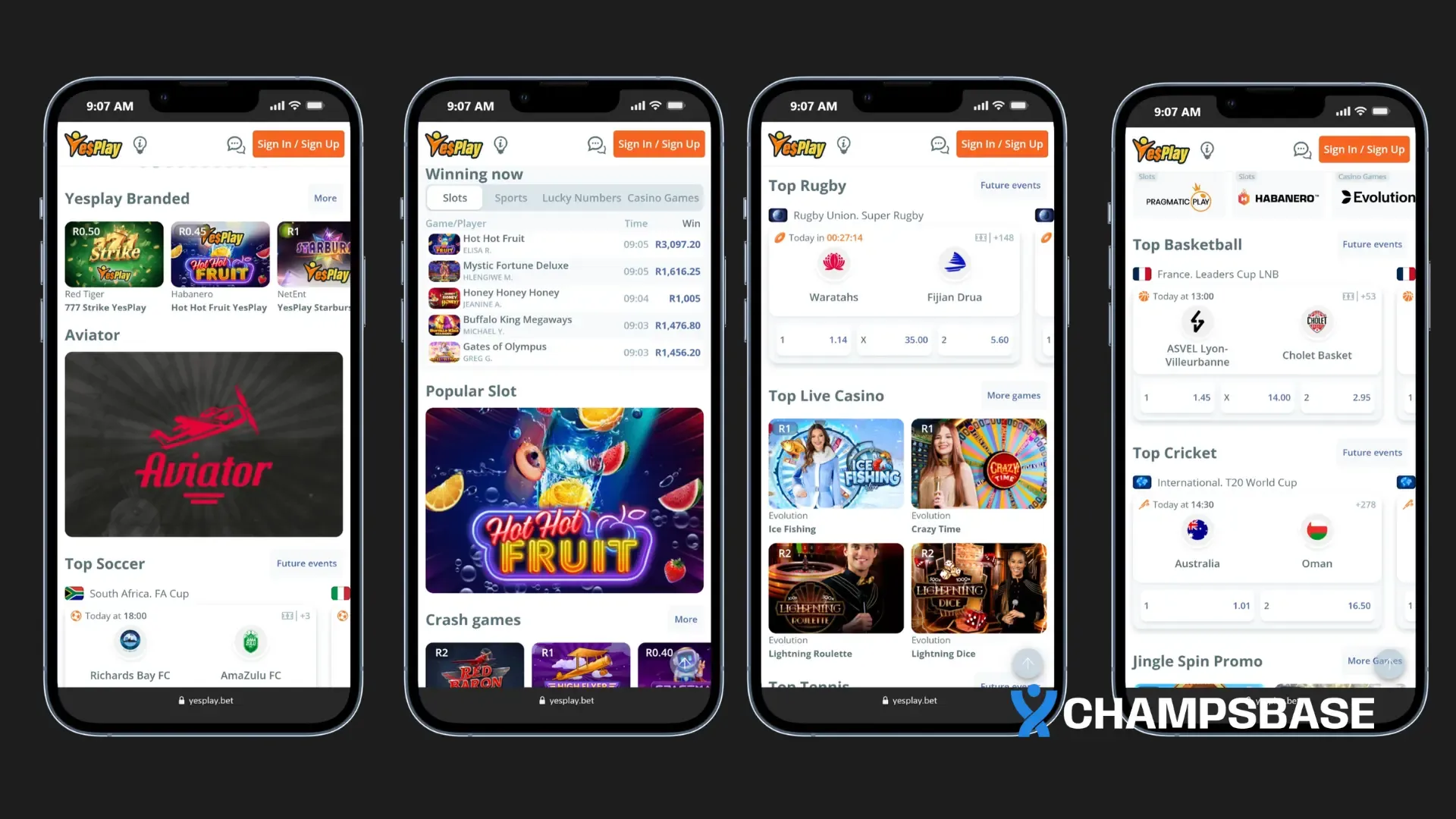
If you already bet on your phone, you already know how painful it is when a page reloads at the wrong moment. The YesPlay betting app is built to reduce that risk. It runs faster than the mobile browser, stays stable during live games, and keeps everything you need within a few taps. Based on hands-on testing across EPL and La Liga matches, it handles the pressure moments reliably.
Here is what makes it worth downloading:
Faster performance during live betting. Markets load quickly, odds refresh without lag, and bet confirmation is near-instant. That speed matters when odds are shifting every few seconds.
All products in one place. Sports betting, casino games, the YesPlay Aviator app, and other YesPlay games are all accessible from the same app. No browser switching, no repeated logins.
Push notifications that keep you informed. Alerts for match updates, odds changes, and promotions are delivered to your phone. No need to keep checking the site manually.
Wide device support. Android, iOS, Huawei, and Samsung are all covered. Most bettors in South Africa will find a version that works on their device without any workarounds.
A layout that is easy to use from day one. The interface is straightforward and uncluttered. New users can navigate comfortably, and experienced bettors can find markets quickly.
💡 Pro Tip
If you follow the YesPlay Aviator game, the app provides a noticeably smoother experience than the mobile browser. Faster loading and more stable performance mean you are ready for each round without delays.
How to Download the YesPlay App for Android
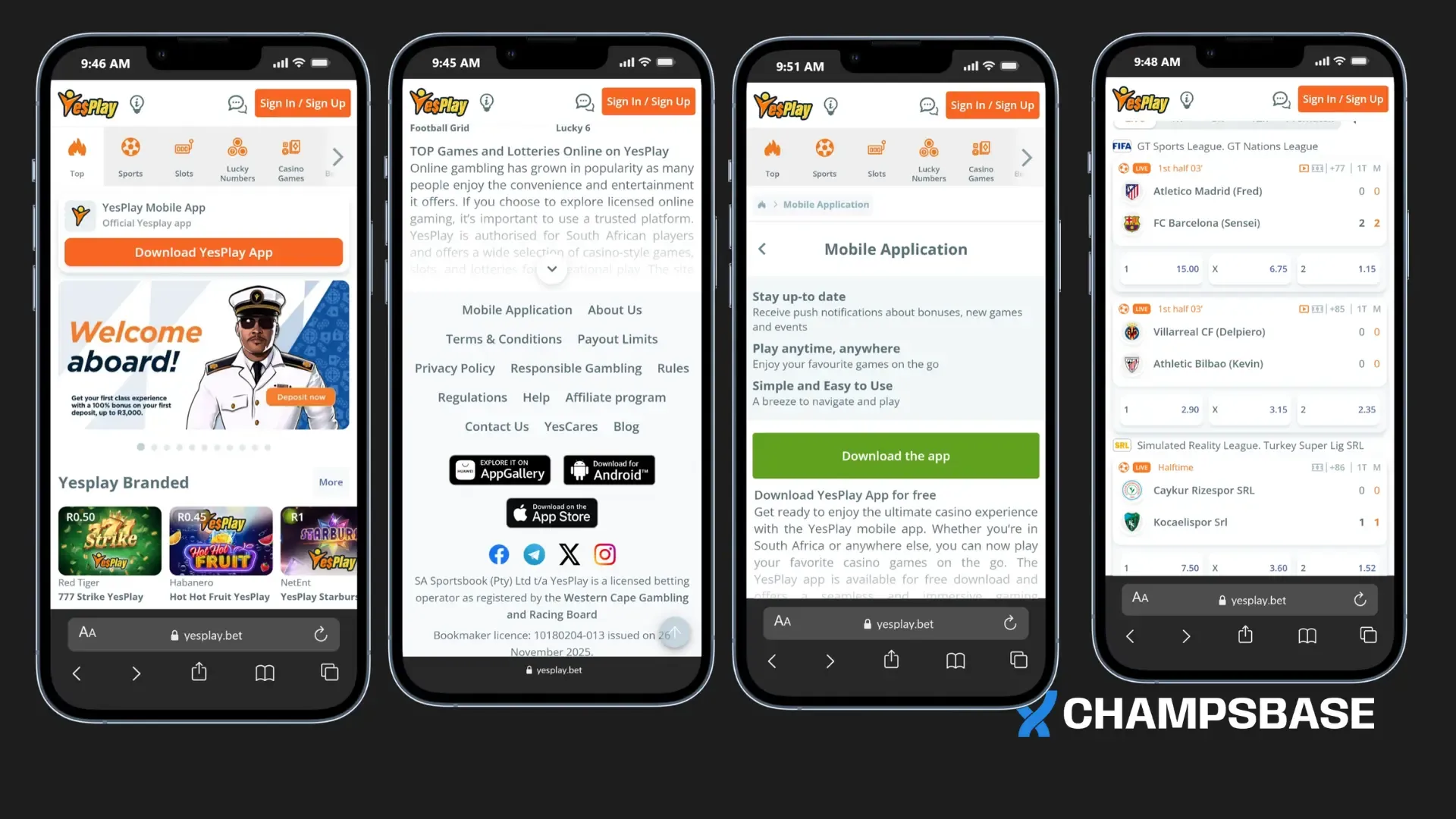
The YesPlay app for Android is not listed on the Google Play Store. To install it, you need to download the APK file directly from the official YesPlay website. This is common practice among licensed South African bookmakers, but it does mean the source of the file matters more than usual.
The file is approximately 64 MB. On a stable connection, the download completes in a minute or two, and the YesPlay app installation process takes under two minutes on most modern Android phones.
💡 Note
Only download the YesPlay app download APK from the official YesPlay website. Avoid third-party APK libraries, file-sharing links, or forwarded downloads from unknown sources.
What to Check Before You Start
Your device runs Android 5.0 or later.
You have at least 100 MB of free storage.
You are connected to a stable network. Wi-Fi is preferred.
You are on the official YesPlay website, not a lookalike page.
Step-by-Step Installation
Step 1: Open your mobile browser and go to the official YesPlay website. Type the address directly into the browser bar. Do not click links from social media posts, SMS messages, or unknown sources.
Step 2: Scroll to the bottom of the homepage and tap the Android app banner. The YesPlay branding uses orange, yellow, and white. If the colours or page layout do not match, exit immediately.
Step 3: Tap "Download APK" and wait for the file to save. The download should complete within a minute or two on a decent connection.
Step 4: Enable installation from unknown sources. Your phone blocks APK files by default. Go to Settings, then Security or Privacy, and enable "Install from Unknown Sources" for your browser. You can turn this off again after installation.
Step 5: Open the downloaded file and tap Install. Find the APK in your downloads folder, tap it, and follow the on-screen instructions. Installation typically takes under two minutes.
Step 6: Open the app and log in or register. Tap the app icon, sign into your existing account, or complete registration if you are new.
💡 Note
After the app installs successfully, go back to your phone settings and turn off "Install from Unknown Sources." Leaving it active allows other downloaded files to install without a prompt, which increases your security exposure.
How to Install the YesPlay App on iPhone and iPad
Installing the YesPlay app on iOS is the simplest option across all platforms. There is no APK file to manage and no security settings to adjust. The YesPlay app for iOS is available directly through the Apple App Store and installs like any standard iPhone or iPad app.
Option 1: Search Directly in the App Store
Open the Apple App Store on your device.
Type "YesPlay" in the search bar.
Confirm the app name and branding match the official YesPlay colours before tapping download.
Tap "Get" to begin installation. The app is approximately 50.2 MB and installs in about a minute.
Open the app from your home screen and log in or register.
Option 2: Use the YesPlay Website Banner
Visit the official YesPlay website on your iPhone or iPad browser.
Scroll to the bottom of the homepage and tap the iOS app banner.
You will be redirected to the App Store listing. Tap "Get" and complete the installation.
iOS Compatibility
App size: 50.2 MB
Minimum requirement: iOS 13.0 or later
Compatible with iPhone and iPad
App Store rating: 3.1 out of 5 from over 800 reviews
Updates install automatically through the App Store
💡 Note
If you cannot find the YesPlay app in your App Store search, your Apple ID region may not be set to South Africa. Check your Apple ID settings and adjust the region if needed.
How to Download the YesPlay App on Huawei
Newer Huawei devices do not include Google services, which means there is no Google Play Store by default. Huawei users can still access the YesPlay mobile app through the Huawei AppGallery, making it just as easy to download the YesPlay app without relying on Google services.
AppGallery is Huawei's official app store and comes pre-installed on all modern Huawei devices. For an app connected to financial transactions, using an official distribution channel matters.
Step-by-Step Installation on Huawei
Step 1: Open Huawei AppGallery. It is pre-installed on your device. No additional setup is needed.
Step 2: Use the search bar and type "YesPlay." When the listing appears, confirm the branding matches the official YesPlay colours before proceeding.
Step 3: Tap "Install" and wait for the download to complete. On a stable connection, the installation usually takes just a few minutes.
Step 4: Open the app and log in or register. Use your existing account details or create a new account.
💡 Pro Tip
If you cannot find the YesPlay app in AppGallery, visit the official YesPlay website using your Huawei browser. Some Huawei models support direct APK installation as an alternative. Only download from the official site in this case.
If you cannot find the YesPlay app in your App Store search, your Apple ID region may not be set to South Africa. Check your Apple ID settings and adjust the region if needed.
How to Download the YesPlay App via Samsung Galaxy Store
Samsung users in South Africa can complete the YesPlay bet app download directly from the Galaxy Store without adjusting any security settings or managing APK files.
The Galaxy Store is an official Samsung app marketplace that comes pre-installed on all modern Samsung devices. Because it is a trusted platform, the installation does not require enabling "Install from Unknown Sources."
Installation Steps
Step 1: Open the Samsung Galaxy Store. Find it on your home screen or in your app drawer. It is pre-installed on all modern Samsung devices.
Step 2: Search for "YesPlay." Confirm the listing matches official YesPlay branding before tapping install.
Step 3: Tap "Install." The app is approximately 64 MB. Download time depends on your connection speed.
Step 4: Open the app. Log into your existing account or register if you are new to YesPlay.
Why Samsung Users Should Use the Galaxy Store
No need to modify device security settings.
No manual APK file downloads or management.
Reinstallation is straightforward if needed.
💡 Pro Tip
If you own a Samsung device but have been using the APK method, switching to the Galaxy Store is the cleaner option. It removes the need to manage APK files manually and is the safer route for Samsung users in South Africa.
What to Do After Installation: Your First Steps
Getting the app installed is only the first part. What you do in the next few minutes sets up a smooth experience going forward.
Once installed, open the app and tap Login if you already have a YesPlay account. New users can tap Register. The YesPlay registration process on the app takes only a few minutes.
Step 1: Log in or register. Returning users should enter credentials manually rather than using autofill. Autofill frequently inserts outdated or incorrect details, especially on a new device. If you are new, tap Register and follow the on-screen steps.
Step 2: Complete FICA verification. This is a legal requirement for all licensed South African betting accounts. You will need to upload a copy of your ID and a proof of address. It is a once-off process, and the app allows you to upload documents directly from your phone. Completing this step early prevents withdrawal delays later.
Step 3: Make your first deposit. Head to the cashier section, choose your preferred payment method, and fund your account. Confirm that your banking details match your registered account information before proceeding.
Step 4: Enable push notifications. Allow notifications when the app prompts you. This keeps you updated on live odds, match alerts, and promotions without needing to check manually.
Step 5: Explore the app layout. Spend a few minutes navigating through sports markets, the casino section, and features like Bet Builder before placing your first bet. Knowing the layout helps you act quickly when odds shift.
💡 Pro Tip
FICA verification is mandatory before withdrawals can be processed. You can bet straight away, but completing verification early means no delays when you are ready to withdraw your winnings.
After your first successful login, save your credentials securely using your phone's built-in password manager. This makes future logins much faster, especially when you are trying to catch a live market before odds change.
YesPlay App Features You Will Appreciate
The YesPlay app focuses on core betting functions rather than extras. The result is a straightforward experience that gets you to your markets quickly without layers of menus to work through. Here is what the app actually delivers:
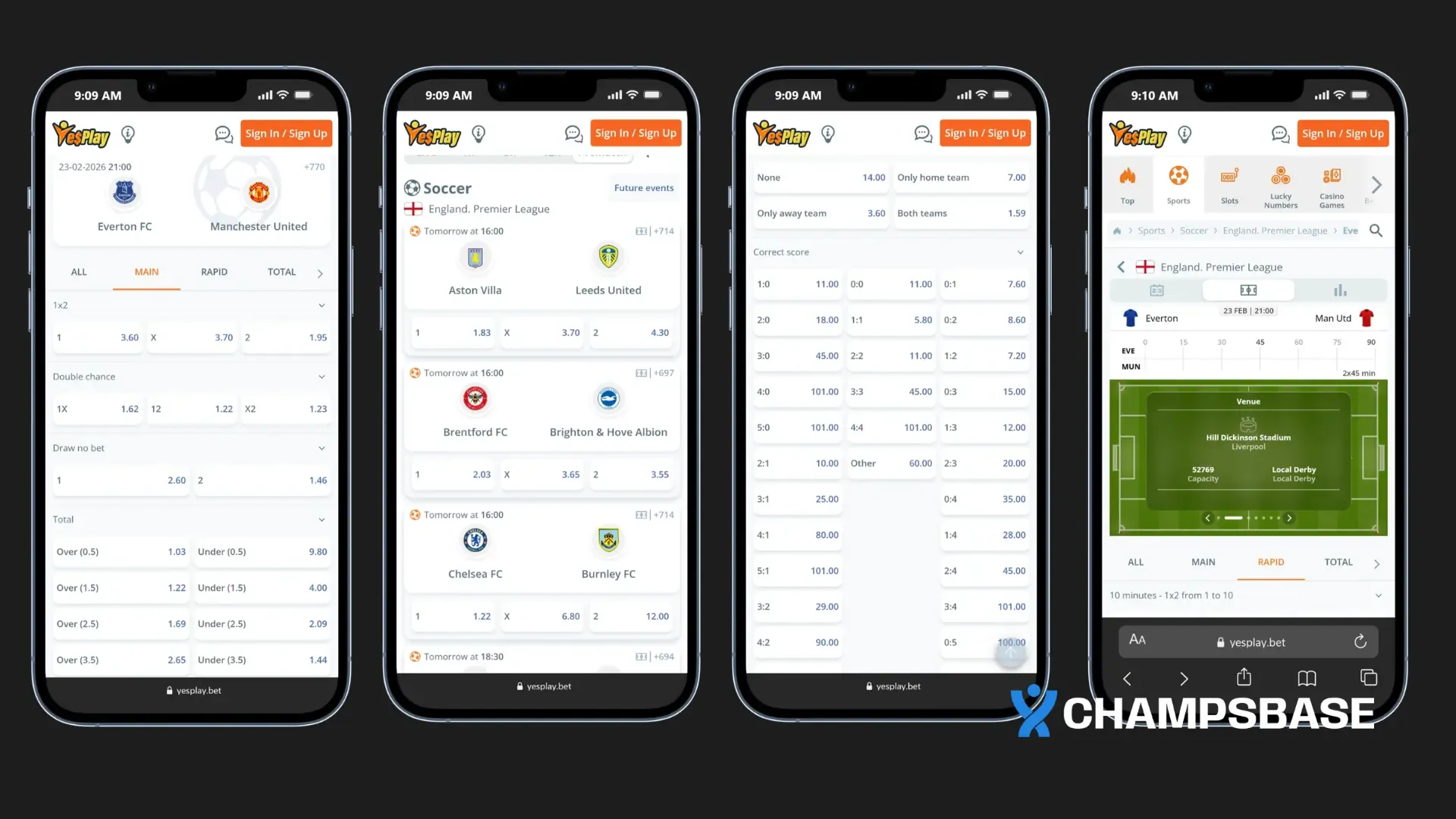
Live Betting. This is one of the app's strongest areas. Markets update in real time while matches are in play, and odds refresh quickly enough to reflect momentum shifts. The interface holds up during busy periods without freezing or delays. For users who prefer betting on how a game unfolds rather than the pre-match result, this feature is central to the app's value.
Bet Builder. The Bet Builder lets you combine multiple selections from the same match into one customised slip. Adding or removing selections is straightforward, and the feature is clearly visible on eligible matches. It gives you more control without complicating the process.
Push Notifications. On first launch, the app prompts you to enable notifications. When active, you get alerts for match start times, odds changes, and promotions. For live betting especially, this removes the need to refresh markets manually.
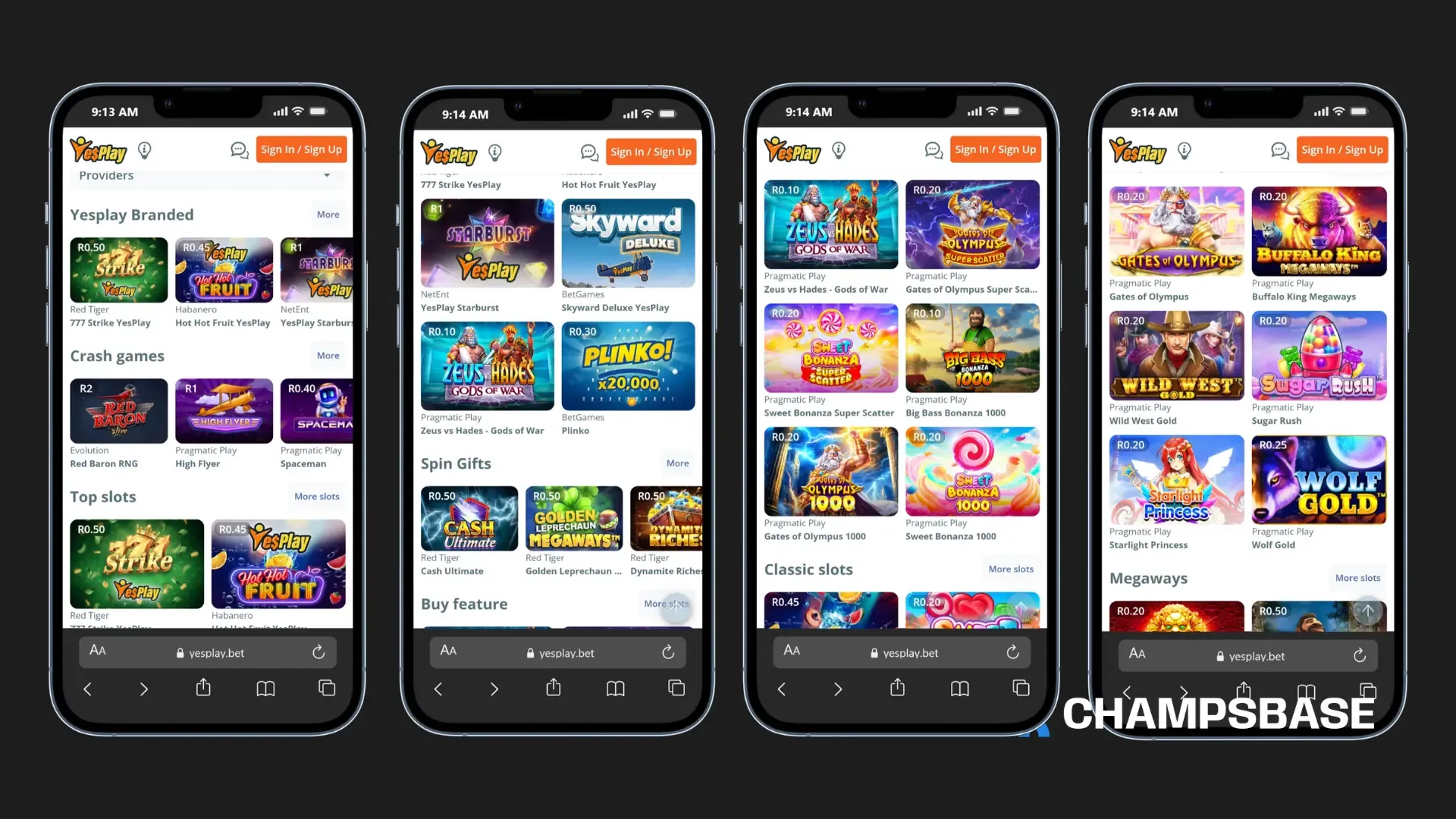
YesPlay Casino App. The casino section includes slots, table games, and other options optimised for mobile play. Navigation between sports and casino is smooth, and games load within the app without opening external pages.
YesPlay Aviator App. Aviator runs reliably within the app. Load times are quick and rounds transition without noticeable delay, which is important for a game where timing matters.
Other YesPlay Games. Beyond Aviator, the games section includes virtual sports, additional slots, and table-based options. There is enough variety to hold interest between sporting events.
Quick Deposits. The deposit process requires only a few steps, and funds typically reflect quickly. When a live opportunity appears and you need to act fast, the cashier does not slow you down.
Clean Interface. The layout is direct and uncluttered. Sports categories are clearly organised, the bet slip is easy to access, and navigation does not require multiple menu layers. Both new and experienced bettors find their way around without difficulty.
💡 Pro Tip
The app currently does not offer live streaming, dark mode, or a data-saving option. These are real gaps compared to some competitors and worth knowing before you download. For core sports betting and casino use, the app delivers reliably.
If you use Bet Builder regularly, try combining it with live markets during in-play matches. You can build custom combinations based on how the game is developing without leaving the match screen.
For a deeper evaluation covering licensing, banking options, customer support quality, payout timelines, and overall platform performance, consult the comprehensive review below.
Before downloading, confirm your device meets the minimum requirements. The YesPlay mobile app has been confirmed to work across a wide range of devices popular with South African users, including several Android models commonly available in the market.
Minimum System Requirements
Android: Version 5.0 or later
iOS: Version 13.0 or later
2 GB of RAM or more is recommended for stable performance, particularly during live betting
Confirmed Compatible Devices
Android:
Samsung Galaxy S21, S22, S23, S24 series
Samsung Galaxy A52, A53, A54
Xiaomi Redmi Note series
Oppo Find series
iOS:
iPhone 11, 12, 13, 14, 15, 16 and 17 series
iPad models running iOS 13.0 or later
Huawei:
Huawei P40 and P50 series (via Huawei AppGallery)
Samsung via Galaxy Store:
All modern Samsung devices running Android 5.0 or later
Performance Limitations
Devices with less than 2 GB of RAM may experience slower loading during live betting.
Android 4.4 and below are not supported.
iOS versions earlier than 13.0 are not supported.
What to Do If Your Device Is Not Listed
The list above covers the most commonly used devices but is not exhaustive. If your phone meets the minimum OS requirements, there is a strong possibility the app will work. To check your software version, open Settings and tap "About Phone" on Android, or go to General then About on iOS.
💡 Pro Tip
If you are due for a phone upgrade and mobile betting matters to you, any Samsung Galaxy A or S series from the last three years will run the app smoothly. These are widely available across South Africa at accessible price points.
Is the YesPlay APK Safe to Download?
The official YesPlay app APK is safe when downloaded directly from the official YesPlay website. South African bettors should avoid third-party sites offering the YesPlay app download APK, as these cannot be verified and carry real risks. The difference in safety comes entirely from where you get the file.
Why the Official APK Can Be Trusted
Licensed operator oversight. YesPlay operates under a licence issued by the Western Cape Gambling and Racing Board. Licensed operators in South Africa are legally required to maintain secure systems and legitimate software. That accountability extends to the app itself.
SSL encryption. All data transferred through the official YesPlay app in South Africa is protected by SSL encryption. This covers login credentials, personal details, and payment information.
Verified application file. The APK on the official YesPlay website is the authorised version. It has not been modified or repackaged. This cannot be guaranteed for files found on unofficial platforms.
Regular security updates. The official app receives updates that include security patches. Installing the latest version keeps your account and device better protected.
Red Flags to Watch Out For
The website address is not the official YesPlay domain.
Branding colours or layout do not match YesPlay's orange, yellow, and white.
The file size is noticeably smaller or larger than 64 MB.
Download link came from a social media post, messaging group, or unknown forum.
The app requests unusual permissions after installation, such as access to contacts or the camera.
💡 Pro Tip
If you have already downloaded an APK from a source you are now unsure about, uninstall it immediately, run a security scan on your device, and download a fresh copy from the official YesPlay website.
Before tapping install on any APK file, check the file size in your downloads folder. If it differs significantly from the expected 64 MB, do not install it. File size is one of the clearest indicators of a tampered or unofficial file.
YesPlay App Version History and Updates
Always ensure you have the latest version of the YesPlay app installed. If your current install is outdated, a manual update from the official source is recommended. Running an older version can cause slower loading, unexpected behaviour, or login issues that disappear the moment you update.
How to Check If Your App Is Up to Date
Android: Open the app and go to the Settings or About section. Check the version number displayed there, then visit the official YesPlay website to confirm whether a newer version is available.
iOS: Open the App Store, tap your profile icon at the top right, and scroll to the pending updates section. If YesPlay appears there, an update is available.
Huawei: Open AppGallery, go to My Apps, and check whether an update is listed next to YesPlay.
How to Update
Android and Huawei users need to update manually. Download the latest APK from the official YesPlay website and install it over your existing version. There is no need to uninstall first. The new file replaces the old version automatically, and your account details remain intact.
iOS users receive updates automatically if auto-updates are enabled. If not, open the App Store and install the available update from the pending updates section.
💡 Pro Tip
Only download updates from the official YesPlay website or a recognised app marketplace. Files advertised as updates on third-party sites may be outdated, modified, or unsafe.
Check for updates at least once a month, and particularly before major sporting events when platform traffic increases and performance improvements become most noticeable.
YesPlay App vs the Mobile Site
Both the YesPlay mobile app and the mobile browser give you access to the same markets, account features, and payment options. The difference is in performance and convenience, particularly when betting live. Here is a clear comparison to help you decide.
Feature
YesPlay Mobile App
Mobile Browser
Speed
Faster: opens quickly, navigates smoothly
Depends on browser and network
Live Betting
Better: odds refresh faster, switching is smooth
Slower during busy periods
User Experience
Cleaner, more stable layout
Can feel cramped on small screens
Deposits
Quicker: saved details, fewer steps
Works fine, slightly more steps
Bet Slip Tracking
Easy: no page refreshes needed
Requires manual refreshing
Push Notifications
Yes, available
Not available
Data Usage
More efficient, fewer full-page reloads
Higher: reloads full pages more often
Storage Required
Yes, approximately 64 MB (Android)
None
If you bet occasionally and prefer not to install apps, the mobile browser is sufficient. If you bet regularly, follow live markets, or want push notifications, the YesPlay mobile app is the better choice.
💡 Pro Tip
The single biggest advantage the app has over the browser is live betting performance. If in-play betting is a regular part of how you use YesPlay, the app is not just more convenient, it is more practical.
YesPlay App vs Competitor Apps
When choosing iGaming apps in South Africa, brand recognition is only part of the decision. Device coverage, interface quality, and feature availability all affect day-to-day use. Here is how the YesPlay betting app compares to two well-known local competitors: World Sports Betting App and SportPesa App.
Feature
YesPlay
World Sports Betting
SportPesa
Android App
✅
✅
✅
iOS App
✅
✅
✅
Huawei AppGallery
✅
❌
❌
Samsung Galaxy Store
✅
❌
❌
Bet Builder
✅
⚠️
⚠️
Push Notifications
✅
✅
✅
Live Streaming
❌
⚠️
⚠️
Dark Mode
❌
⚠️
⚠️
Beginner-Friendly UI
✅
❌
✅
Icon Legend
Icon
Meaning
✅
Fully available / supported
❌
Not available / not supported
⚠️
Varies by version, device, or promotion
Where YesPlay Wins
Multi-platform support. YesPlay supports Android, iOS, Huawei AppGallery, and Samsung Galaxy Store. Neither World Sports Betting nor SportPesa matches this level of device coverage. For Huawei users in particular, YesPlay removes the installation friction that comes with relying on unofficial workarounds.
Cleaner interface. World Sports Betting's app is functional but can feel visually dense, especially for new users. YesPlay's layout is more straightforward, making it quicker to find markets and place bets.
Bet Builder integration. The Bet Builder is clearly positioned within eligible matches and easy to use. This level of flexibility for in-match combinations is not as seamlessly implemented on some competing apps.
Where Competitors Hold Their Own
SportPesa's market presence. SportPesa has a strong following across multiple African markets and a loyal base built over several years. Some bettors find their odds on certain football markets competitive.
World Sports Betting's local reputation. WSB has operated in South Africa for a long time and carries brand familiarity that new bettors sometimes default to.
Live streaming. This remains the clearest gap for YesPlay. If watching matches within your betting app is important to you, both competitors are worth considering for that feature specifically.
💡 Note
App features change with updates. This comparison reflects the current state of each platform to the best of our knowledge as of April 2026. Always verify current features on each platform before making a final decision.
If you are a Huawei user, YesPlay is currently your strongest option among these three. It is the only one with dedicated AppGallery support, which removes the installation challenge that Huawei users often face with competing apps.
Bonuses and Promotions on the App
There are no app-exclusive bonuses on the YesPlay app. Registering or betting through the app does not unlock extra rewards compared to the desktop or mobile browser. That said, all standard welcome offers and ongoing promotions are fully accessible through the app.
Bonus terms, wagering requirements, and eligibility conditions are identical whether you join via desktop, mobile browser, or the app. The YesPlay register process through the app is straightforward and typically completed within a few minutes.
💡 Note
Bonus terms and available promotions change regularly. Always verify current offers directly within the YesPlay app after logging in. Third-party listings are often outdated and should not be relied on.
While there are no mobile-only bonuses, the app is the most efficient environment for monitoring your active bonus balance, tracking wagering progress, and responding to time-sensitive offers before they expire.
For a complete breakdown of current welcome rewards, reload deals, and ongoing promotional campaigns available to South African players, review the full bonus listing below.
Most issues on the YesPlay app are not platform failures. They are device-level, connectivity, or version-related problems with clear fixes. Here is what to do for each common issue.
App Not Loading or Freezing
Most likely cause: network instability or background memory conflicts.
Switch between Wi-Fi and mobile data.
Fully close the app and reopen it.
Restart your device to clear temporary memory issues.
If the problem continues across multiple networks, check for an available app update.
YesPlay App Install Failed (Android)
Most likely cause: Android blocking APK installation from outside official stores. This is a built-in security setting.
Go to Settings, then Security or Privacy.
Temporarily enable "Install from Unknown Sources" for your browser.
Retry the YesPlay app install.
Disable the permission again immediately after installation.
Only download the APK from the official YesPlay website.
APK Not Downloading
Most likely causes: insufficient storage or unstable connection.
Ensure at least 100 MB of free storage is available.
Confirm the download source is the official YesPlay website.
Switch to a stable Wi-Fi connection.
Clear your browser cache and try again.
YesPlay App Login Problems
Most likely cause: autofill inserting incorrect or outdated credentials.
Clear the login fields and type your credentials manually rather than using autofill.
Clear the app cache if repeated login attempts fail.
Use the official password reset function if needed.
Make sure you are using details associated with your YesPlay account specifically.
App Not Updating
Most likely cause: running an outdated APK version.
Download the latest version from the official YesPlay website.
Install it over the current version without uninstalling first.
If problems persist, uninstall completely, download a fresh copy, and reinstall.
Your balance, bet history, and active bonuses are stored on YesPlay's servers and will not be affected.
Push Notifications Not Working
Most likely cause: notifications are disabled at either the device or app level. Both must be enabled.
Enable notifications in your phone's system settings.
Enable notifications within the YesPlay app settings.
Restart the app after making the changes.
App Running Slowly
Most likely cause: device performance limitations or low available storage.
Clear the app cache.
Close other background apps.
Free up storage space on your device.
Restart your device.
Persistent slowness across multiple apps may indicate broader device limitations rather than a YesPlay issue.
💡 Note
If you have tried all of the above and the problem continues, contacting YesPlay's official support channels is the right next step. Do not attempt to reinstall from unofficial sources as a troubleshooting measure.
Final Verdict: Is the YesPlay App Worth It?
For most bettors in South Africa, the YesPlay app delivers exactly what it promises: a clean, fast mobile betting experience without unnecessary complexity. It is not the most feature-packed app on the market, and it does not claim to be. What it does, it does reliably, and for the majority of everyday bettors, that is enough.
The installation process is straightforward across all four platforms. The interface is easy to use without being oversimplified. The live betting experience holds up during important matches. Add multi-platform support that outpaces several established competitors, and the app makes a strong practical case for itself.
The honest limitations are real: no live streaming, no dark mode, and no data-saving option. If live streaming within a betting app matters to you, weigh that carefully before committing. For everything else, the YesPlay mobile app does its job consistently and without fuss.
Best Suited For
Everyday bettors who want a clean, reliable mobile experience.
Live bettors who need quick access to fast-refreshing markets.
Huawei and Samsung users who want dedicated app support.
Beginners who are new to mobile betting and need a straightforward starting point.
⚠️ Important: Responsible Gambling
Only bet what you can afford to lose. The YesPlay app includes responsible gambling tools such as deposit limits and self-exclusion options. Use them if you ever feel the need to manage your activity.
Having tested the app across multiple devices and through enough live matches to form a fair view, it is not flashy, but it is honest in what it offers. For a market like South Africa, where mobile betting is central to how most people engage with sports wagering, having an app this stable and accessible across this many devices matters more than any missing feature.
About the Author
Sofoluwe Mayowa is a sports betting and iGaming content specialist at ChampsBase, with a strong focus on African betting markets. His work centres on evaluating bookmakers based on licensing, platform reliability, payment systems, and user safety. Mayowa applies a research-driven approach to ensure all content aligns with responsible gambling standards and reflects accurate, up-to-date market conditions.
Best Apps
Frequently Asked Questions (FAQs)
Visit the official YesPlay website on your mobile browser, scroll to the bottom of the homepage, and tap the app banner for your device. Android users download an APK file. iOS users are redirected to the App Store.
Yes. The YesPlay app is available in South Africa across all four platforms: Android, iOS, Huawei AppGallery, and Samsung Galaxy Store. It is built for the South African market and supports local payment methods and FICA verification.
Yes. The YesPlay app for Android is available as an APK download from the official YesPlay website. It is approximately 64 MB, requires Android 5.0 or later, and installs in under two minutes.
Google Play Store applies restrictions on real-money gambling apps in certain regions. This is common among South African betting platforms and does not reflect the safety or legitimacy of the app. The official YesPlay website is the correct place to get the Android APK.
The official YesPlay app is available at the official YesPlay website for Android, on the Apple App Store for iOS, through Huawei AppGallery for Huawei devices, and via Samsung Galaxy Store for Samsung users. Always use these sources. Avoid third-party sites.
Yes. The YesPlay app for iOS is on the Apple App Store and installs like any standard app. No APK or settings changes are needed. It requires iOS 13.0 or later and works on both iPhone and iPad.
Android and Huawei users update manually by downloading the latest APK from the official website and installing it over the current version. iOS users can update through the App Store, or automatically if auto-updates are enabled. Always update from the official source only.
The app is primarily designed for smartphones but can run on tablets meeting the minimum OS requirements: Android 5.0 or later, or iOS 13.0 or later for iPad. The experience may not be fully optimised for larger screens, but core features work as expected.
The app uses less data than the mobile browser because it does not reload full pages as frequently. Casual browsing and placing bets uses minimal data. Live betting sessions use more due to frequent odds refreshes. If you are on a limited plan, connecting to Wi-Fi during live sessions is advisable.
Yes, when downloaded from the official YesPlay website or a recognised app store. The app uses SSL encryption and operates under a Western Cape Gambling and Racing Board licence. Avoid unofficial APK sources, as those versions cannot be verified.
Check your internet connection, close and reopen the app, then restart your phone. For login problems, clear the login fields and type your credentials manually. If nothing works, uninstall the app, download a fresh copy from the official YesPlay website, and reinstall. Your account details and balance are not affected by reinstalling.